 Comms
Comms
 Ethernet Network
These vintage computers have Ethernet interfaces and are connected to the network:
 iMac G3 |
 PIII "Trinity" |
 K6-2 "Harry" |
 Presario 425 "Shippo" |
They are connected to a 100Mbps switch, which can still negotiate down to 10Mbps. That switch is connected to a 1000Gbps switch (which it can communicate with at 100Mbps), which connects to the modern devices, including the Mini Server. The Mini Server runs services for those computers.
 Retro Proxy
Retro Proxy allows the old computers to acces the web, by bypassing unsupported
newer technologies and stripping down modern web pages.
allows the old computers to acces the web, by bypassing unsupported
newer technologies and stripping down modern web pages.
It bypasses modern TLS and SSL, providing an unencrypted HTTP connection. It can also strip Javascript and CSS, and resize large images, in order to make modern sites more safely and easily viewable.
File ServerThe server holds archived copies of old software and drivers, as well as MOD and MIDI music. They are copied from GPC via Syncthing. Currently, they are made available to the old computers by Microsoft file sharing, Apple Filing Protocol, and by a web directory. I may add read-only FTP later.
For Microsoft file sharing, it was necessary to enable some deprecated legacy features in Samba. They still appear to work in v4.17, at least for Windows 98. Files meant for MSDOS are hosted from FAT16 filesystems to avoid an overflow bug in Microsoft Lanman. All the shares are read-only and guest allowed. (The nicknames of the PCs above are their NetBIOS names!)
smb.conf excerpt:
[global]
   server min protocol = NT1
   ntlm auth = yes
   lanman auth = yes
Other than having to build Netatalk from source for Pi OS Bookworm, there weren't any big hurdles to getting AFP working. I set it up with similar shares to Samba.
Web Server
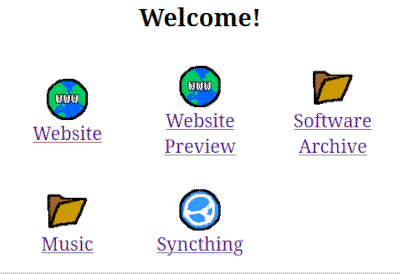
A web homepage, with an in-development preview of this very site! Updated from Syncthing, so it always has the latest work. This way I can test how this site looks in old browsers without publishing it to the Internet. It also provides access to the files from the file server. The Syncthing shortcut is for modern computers to access the web interface.